
Minimum received
The lowest output permitted by the quote after applying your slippage tolerance. The transaction should fail rather than execute below this amount.
Use this guide to choose the correct token, understand a Jupiter route, and approve a Solana transaction without giving up control of your wallet.
Last updatedYou need a compatible Solana wallet, the token you want to pay, and a small amount of SOL for network costs. Solflare, Trust Wallet, MetaMask, Coinbase Wallet, Exodus, Binance Wallet, SafePal, Phantom, and Backpack are supported when they expose the required Solana signing features. Confirm that you are on https://swap.solanadex.io before connecting. SOLANADEX.IO never needs your recovery phrase or private key.
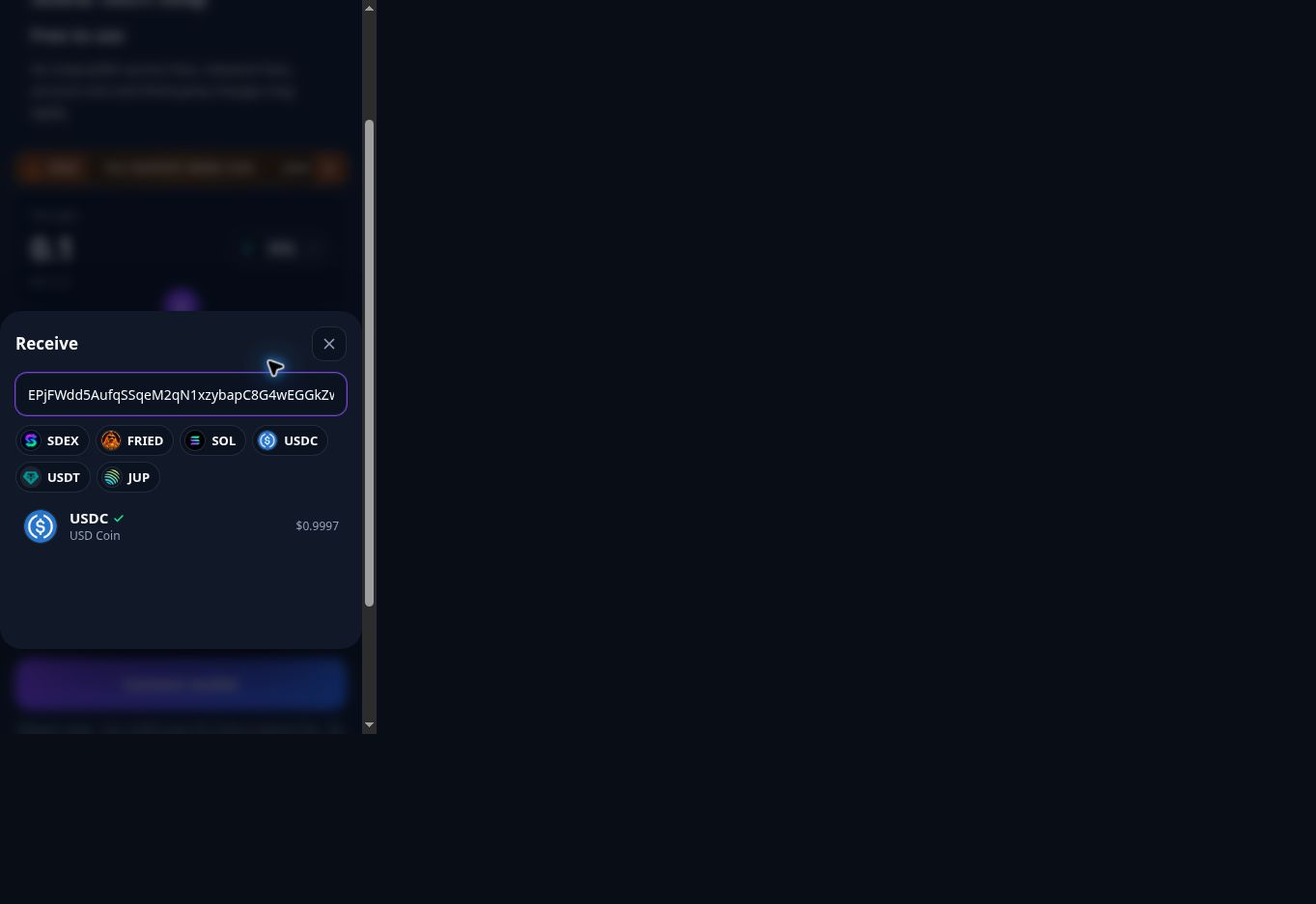
If you opened the swap inside the homepage, tap Open full screen first. On the standalone swap, tap Connect wallet and choose your wallet. Available choices depend on your browser, installed wallet and its Solana support.
The wallet chooser includes Open in links for supported wallet apps. After the app opens, return to the swap inside its browser and tap Connect wallet again. Review the connection request in the wallet.
MetaMask has a separate connection option. Follow the connection screen it provides; the exact handoff varies by device. Connecting does not approve a swap. Never enter a recovery phrase or private key into this website.
After you enter an amount, the exchange-rate row opens the quote details. A price shown before connecting is a preview; your wallet balance and applicable transaction costs still need checking.
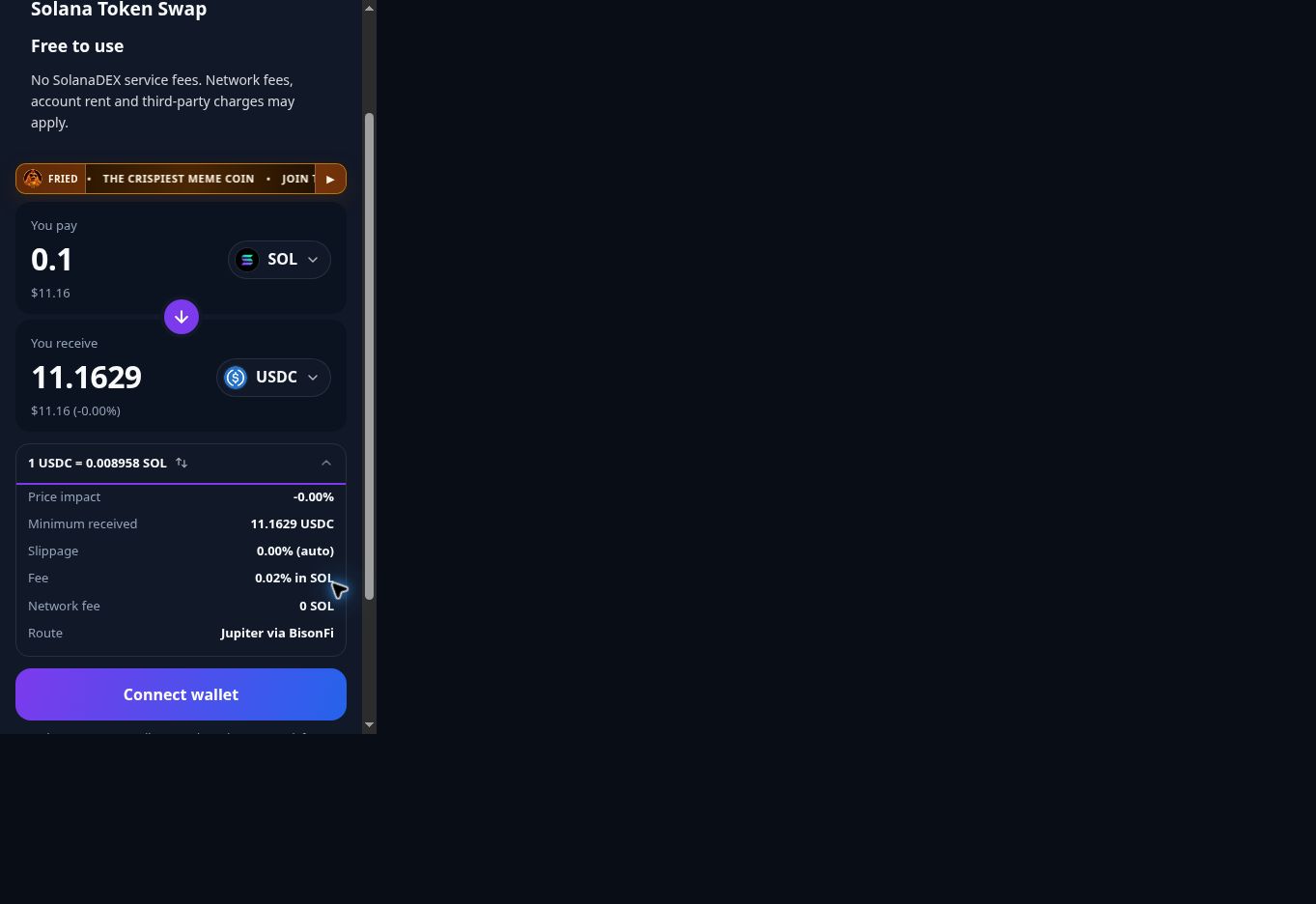
The lowest output permitted by the quote after applying your slippage tolerance. The transaction should fail rather than execute below this amount.
The estimated effect of your trade on the available market price. High price impact can mean limited liquidity or an unusually large trade.
The maximum price movement you accept while the swap is being processed. A higher setting can increase execution risk.
Solana network, priority, token-account, or liquidity-source costs may apply. Review the final transaction in your connected wallet.
Free to use means no SolanaDEX service fee. The quote's Fee row may show a third-party routing charge. Network costs can include a priority fee and SOL needed for token-account creation. Read the fees, account rent and slippage guide for a worked example and a breakdown of these costs.
Use the settings button to review automatic or custom slippage. Raising slippage accepts a worse execution price; it does not solve every failed quote. Stop and review an unexpected price-impact warning before proceeding.
Open the swap full screen and follow the mobile connection steps. On desktop, unlock the wallet extension and confirm that its selected account supports Solana. A wallet that supports other networks may not expose Solana signing in every browser.
Check the selected account and input-token balance. Keep SOL available for transaction costs even when paying with another token. If spending SOL, reduce the amount. Max leaves a reserve, but the final wallet transaction determines the actual requirements. See which network costs may apply.
Verify both mint addresses and your connection. A token may have no supported route or enough liquidity. For a temporary price-provider error, wait briefly and use Try again. A smaller amount may help a route with limited liquidity, but availability is not guaranteed.
Get a fresh quote and review its minimum received and price impact again. Do not repeatedly increase slippage to force a trade. If you already approved a transaction, check its status before retrying.
Open the transaction link in the swap result or your wallet activity. Check whether it succeeded, failed or is still pending, and compare token balance changes. Avoid submitting another swap while the first result is uncertain. A failed on-chain transaction can still incur a network fee.
Start with a small amount, especially for a new or low-liquidity token. Stop if the mint is unfamiliar, the price impact is unexpectedly high, or your wallet displays instructions you do not understand. Read the full token swap safety guide before trading.
Technical details checked against Solana's transaction fee documentation and Jupiter's quote, execution and error documentation. Screenshots show the SolanaDEX interface at a phone-sized viewport on September 19, 2026.